Window projection setup: Turn Your Window into a Festive Canvas — Step-by-Step to the Perfect Christmas Projection
Window projection setup is a cosy way to turn your front room into a festive stage. Window projection setup gives you big impact with small effort. You do not need a lot of gear to get a great effect. Start simple and learn with one window. Keep it safe and visible from the street. This short intro sets the tone for the step by step guide that follows.
Plan your kit: projector, film and the basics
Window projection setup starts with the right kit. Window projection setup means choosing a projector with enough lumens, a crisp image and good colour. For most street-facing windows in Irish towns, aim for 2,500 to 4,000 lumens if there is street lighting. If your street is dark, 1,500 lumens can work well at night. Pick a compact projector you can mount near a sill or shelf. Think about resolution too. A 1080p projector gives sharper text and festive shapes than a low-res model. Next, choose projection film. Frosted static-cling film works brilliantly. It sticks to glass without glue, so you can remove it after the season. Rear-projection film is another option if you want the projector inside the room, behind the screen. Adhesive frosted film gives the truest white but needs more care to remove. Also buy a short HDMI cable, a reliable streaming stick or media player, and a simple mount or shelf. Keep the kit cheap to start. You can always upgrade next year.
Window projection setup often benefits from a test run. Window projection setup lets you try different films and distances. Try the film at home during daylight to check alignment and trimming. If you live in an apartment in Dublin or Cork, check building rules before mounting anything outside. Keep it neighbour-friendly. Choose content that is joyful and not too loud. Small steps keep the project achievable and fun.
Find the right position and throw distance
Window projection setup works best when the projector and window are matched. Window projection setup needs a clear line of sight between lens and screen. Measure your window width and height first. Use the projector manual or an online throw distance calculator to find the best spot. If you have a short-throw projector you can place it near the window. If you use a standard projector, you may need a table a metre or two back. Mounting the projector on a shelf above a radiator is not ideal. Heat can affect performance. Aim for a stable, level surface. Use a small tripod or wall bracket if you need a tidy look.
Window projection setup often needs small tweaks to get the image square. Window projection setup is easier when you mark the centre of the screen and the centre of the lens. Use white card or sticky notes to align vertical and horizontal edges. If the projector has keystone correction, use it sparingly. Too much digital correction reduces sharpness. Move the projector in small steps and test the image each time. When you have good alignment, measure once and note that spot for future use.
Light, brightness and making it visible from the street
Window projection setup is all about balance between projector brightness and ambient light. Window projection setup needs enough lumens to beat street lamps and porch lights. If your street is brightly lit, choose the highest brightness your budget allows. If you can turn off nearby lights or angle bulbs away, the effect will improve. Curtains matter too. Blackout curtains behind the film give deeper contrast and richer colours. Film that slightly diffuses the image helps visibility when viewed from different angles.
Window projection setup can also use timing to your advantage. Window projection setup looks best at dusk and during the evening when ambient light drops. Schedule your display with a smart plug or the projector's timer. For Christmas, short shows repeated on the hour keep attention high but save power. Also think about content contrast. Simple silhouettes, high-contrast graphics and bold colours read better from the street than detailed scenes. Test on a phone camera while standing on the pavement to see how your image scans at a distance.
Mounting, cables and safety tips
Window projection setup must be safe for you and your home. Window projection setup requires careful cable management and sensible placement. Use cable covers on the floor to avoid trips. Choose an outdoor-rated extension lead if you need to route power through an entrance. Keep the projector away from direct draughts and from heaters. If you mount the projector on a shelf, secure it with a strap or small brackets. Ladders on wet Irish nights can be risky, so plan all mounting tasks during the day and ask a friend for help.
Window projection setup benefits from basic fire safety checks. Window projection setup should not block exits or rest on flammable materials. Check the projector vents regularly for dust. Make sure the device has space to cool. If you mount anything on the outside of the window, use fixings that do not damage the frame. Keep cables tidy and away from doorways. Finally, consider insurance and building rules for more permanent setups. For a short seasonal display, simple, reversible fixes are best.
Creative touches for Christmas projections
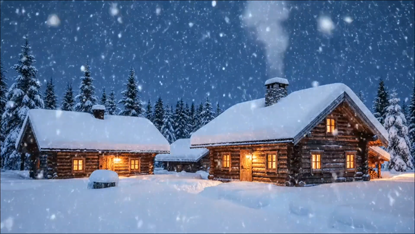
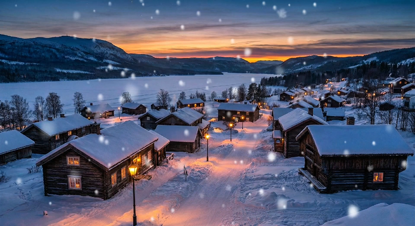
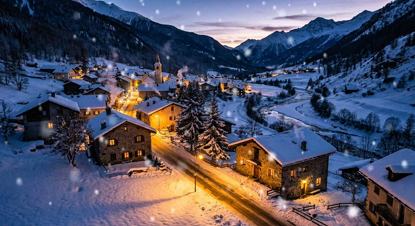
Window projection setup invites playful content. Window projection setup can show falling snow, animated stars or short festive scenes. Use high-contrast loops that repeat cleanly. If you have speakers inside, add soft carol music for passersby. If you prefer quiet, use silent visuals with clear motion. Layering is fun. Try static decorations on the window frame and a projection behind them for depth. Red and green tones work well, but also try warm amber tones for a cosy feel.
Window projection setup is an opportunity to share local cheer. Window projection setup can be family-friendly and short enough for neighbours to enjoy a quick look. Test your animations at pavement distance. Record a short clip and view it on your phone. If people stop and smile, you are getting it right. Change the loop on holiday evenings for variety, and always pack away gear after the season to protect it from wet weather.
Test, tweak and run: a simple checklist
Window projection setup should end with a calm test and a short checklist. Window projection setup checks include verifying alignment, confirming cable safety and testing image brightness at street level. Turn on nearby lights and then turn them off to see how the image changes. Walk the pavement and view from different angles. If the image is too dim, move the projector closer or upgrade the projector. If it’s too bright for neighbours, lower the lumens or angle the projector slightly downward.
Window projection setup is more rewarding when you keep notes. Window projection setup works best when you record the lens-to-screen distance, the film type and the projector settings. That way you can repeat the setup next year in minutes. Enjoy the process. Start small, learn fast and spread some festive light in your neighbourhood.
Popular projections